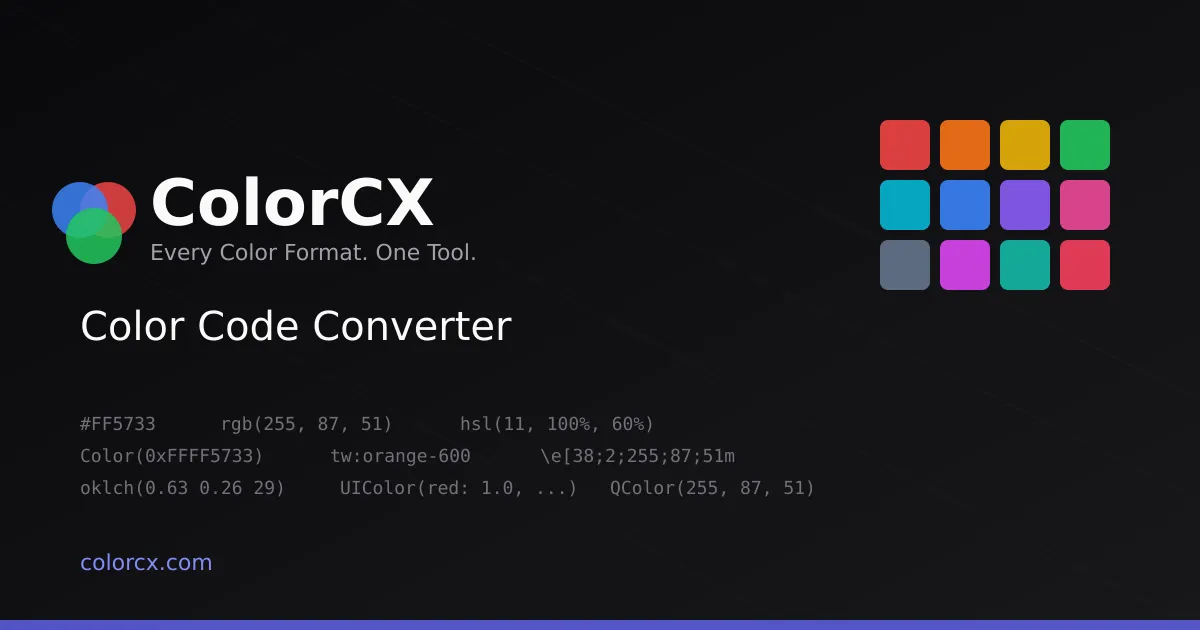
Every Color Format. One Tool.
Convert colors between 30+ formats instantly — HEX, RGB, HSL, OKLCH, CMYK, Tailwind, Bootstrap, Material Design, Flutter, SwiftUI, Jetpack Compose, ANSI terminal codes, and more.
Features:
Auto-detects any pasted color format and converts to all others - Preset palettes for 13 frameworks with nearest-match lookups
Framework prefix syntax (e.g., bulma:primary, tw:blue-500) for CSS framework colors
EyeDropper to pick colors from your screen
Light/dark mode, configurable output groups
100% client-side — no signup, no server
Built for developers and designers who work across multiple frameworks and platforms.
ColorCX is a design tool listed on OpenHunts. The listing describes it as Every Color Format. One Tool.
ColorCX highlights auto-detects any pasted color format and converts to all others - preset palettes for 13 frameworks with nearest-match lookups, framework prefix syntax (e.g., bulma, and eyedropper to pick colors from your screen. The listed feature details mention ways to primary, tw:blue-500) for CSS framework colors.
ColorCX is listed as free on OpenHunts. Check the official website for current plan limits, trials, and billing details.
ColorCX is best for people comparing design tools tools on OpenHunts, especially people using web platforms.
Use the related projects section and category pages on OpenHunts to compare ColorCX with other design tools tools by platforms, pricing, and community activity.
These tools are selected from similar categories, platforms, and community activity on OpenHunts.

Color Picker is a web-based tool that simplifies color selection and gradient creation. Key features include:Image Color Extraction: Pick colors directly from uploaded images.Gradient Generation: Create linear and radial gradients with customizable stops.Color Code Conversion: Generate HEX, RGB, HSL, and HSV color codes.Trending Colors: Access a curated selection of popular color palettes.Ideal for:Web developersGraphic designersIllustratorsUI/UX designersColor Picker offers a lightweight, no-fuss solution for color manipulation, eliminating the need for heavyweight software and complex interfaces. It's designed for quick color grabbing, tweaking, and code copying.

200+ premium components. Early-bird from $29Tailkits UI is a modern library of 200+ HTML + Tailwind components for landing pages and marketing sites, designed to work with any framework that renders HTML. No config required.

Grida is a free and open-source canvas editor that allows users to design and build web applications with customizable templates and components. Key features include:Visual Website Builder: Design web pages visually with a drag-and-drop interface.AI-Powered Prompts: Utilize AI to generate design ideas and content.Figma Integration: Seamlessly import and export designs from Figma.React Components: Use Grida as a React component or bring your own components into the canvas.Ideal for:UI/UX DesignersWeb DevelopersNo-code enthusiastsGrida stands out with its hackable architecture, modular SDK, and performance optimizations using Rust and WebGPU, making it a powerful and customizable tool for both individual developers and enterprise teams.

Professional color palette generator for web creatives that builds stunning palettes and UI themes in seconds. Key features include:Palette Generator: Build stunning, highly configurable palettes with AI assistance and interactive color wheel.Contrast Checks: WCAG and APCA contrast checks ensure accessibility for small and large text.Color Blindness Simulation: Visualize designs from the perspective of users with color blindness.Ideal for:UI/UX designers seeking efficient color toolsWeb developers needing accessible color schemesGraphic designers creating brand palettesStreamline your design workflow with this professional color toolkit for prettier designs and less effort.

I share lots of Design & UI screenshots. repeating same process for editing all this mockup images took too long, so I made a free tool for it that does all of this in few seconds.Basically,Drag and drop your screenshotsSelect one of hand-picked beautiful backgrounds.Apply some styles like border radius, colors, position, scaling.Export. that's basically it.

AVA Palettes is a Figma plugin that generates accessible color palettes instantly.Key features include:Perceptually Uniform Ramps: Creates visually consistent color ramps using OKLCH color space.WCAG & APCA Checks: Ensures color palettes meet accessibility standards with built-in contrast checkers.Pro-Level Control: Offers advanced customization options for fine-tuning color palettes.Ideal for:UI/UX DesignersWeb DevelopersDesign System TeamsAVA Palettes stands out by leveraging modern color science (OKLCH) to create beautiful and accessible palettes, ensuring brand consistency and compliance with accessibility guidelines.