
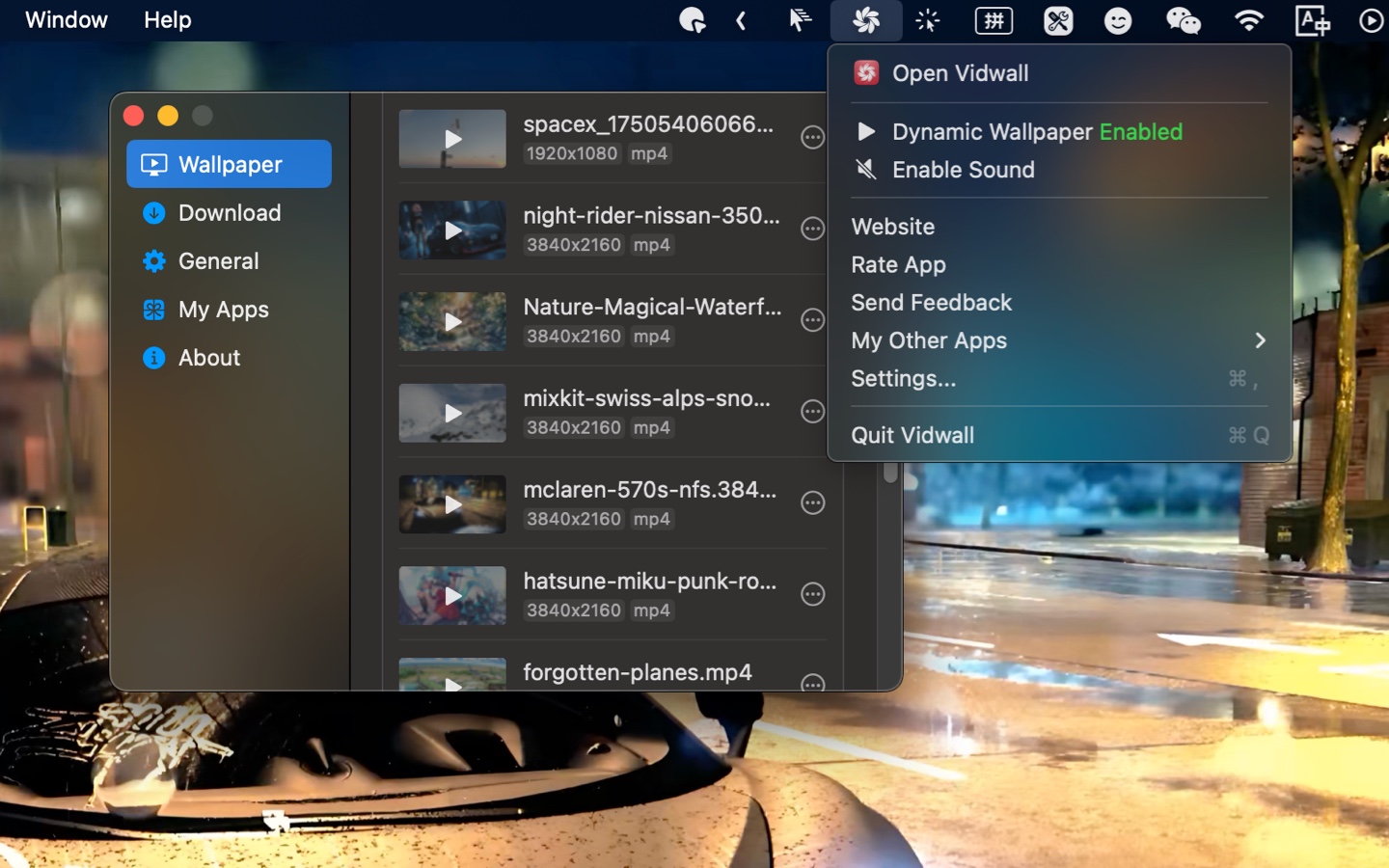
Vidwall is a dynamic wallpaper app that allows users to set 4K videos as their desktop background. It supports MP4 and MOV formats, making it easy to personalize your desktop with engaging visuals. Key features include:
Ideal for:
Vidwall offers a simple and effective way to transform your static desktop into a dynamic and engaging visual experience, setting it apart from traditional wallpaper apps.

Veo 3.2 is an AI-powered video generator that transforms images into high-quality 4K videos. Key features include:4K Video Generation: Create stunning videos with impressive resolution.Character Consistency: Maintain consistent character appearances throughout your videos.Vertical Video Support: Generate videos optimized for mobile viewing.Ideal for:Content creatorsSocial media marketersFilmmakersVeo 3.2 offers an accessible and powerful way to create engaging video content from static images, simplifying the video creation process.

IntroductionBadgeify is a macOS utility that displays app notification badges directly in the menu bar. Key features include:Timely Notifications: Receive instant updates from apps like Messages, Mail, Slack, and Teams.Dockless Notifications: Perfect for users who hide their Dock, ensuring no notification is missed.Universal App Support: Works seamlessly with any macOS application, including system and third-party apps.Customizable Icons: Personalize your menu bar with custom icons for each application.Ideal for:Mac users who prefer a minimalist desktop.Professionals who need to stay on top of notifications without distractions.Users who want a more organized and efficient notification system.Badgeify offers a streamlined and customizable way to manage notifications, enhancing productivity and reducing distractions on macOS.

Sparkify is a Mac app designed to help users organize, refine, and version their AI prompts. Key features include:Dynamic Template Engine: Create reusable prompt templates with placeholders and default values.Full Version History: Automatically save and compare different versions of your prompts, allowing you to revert to previous states.Agent Context & File Sync: Link agent context and sync files for a streamlined workflow.Ideal for:AI Prompt EngineersDevelopers working with AI modelsResearchers experimenting with AISparkify offers a focused, intuitive, and private workspace for prompt engineering, making it an essential tool for anyone working with AI on a Mac.

ShareSpeak is an AI-powered teleprompter app for macOS designed to help content creators deliver smooth, natural-sounding presentations and videos. Key features include:Voice Scrolling: Control the scrolling speed of the script using your voice or manually.Invisible Overlay: The teleprompter window is completely invisible during screen sharing and recording.Multilingual Support: Automatically detects and follows your language.Customizable Interface: Easily customize the appearance and behavior of the text, including font size, color, and transparency.Ideal for:YouTubers and video creatorsScreencastersPresenters and public speakersShareSpeak eliminates the need for memorization, allowing you to maintain eye contact with your audience while reading your script, resulting in more engaging and professional content.

Turn raw screen captures into polished videos. Auto zoom, backgrounds, camera overlay & 4K export — one-time $29, no subscription.

EVY is your AI co-creator that lives inside any app you use. Just press the EVY-Key, speak, and she turns your thoughts into docs, copy or content in seconds. No more typing long prompts – you ask, she listens, and the result appears right where you need it.Key Features:Write or edit in any app with AI assistance.Record and remember meetings both online and offline.Scale your brand with shared context and voice.Content transformation, optimized for performance.Push-to-talk to EVY from anywhereShe keeps your project context and voice in any app, so every team member writes on point without re-explaining anything. Ask EVY to interview you for fresh ideas, brainstorm on the fly, or point at a sentence and tell her how to tweak it. AI across all apps gets unified, and you stay in the flow.