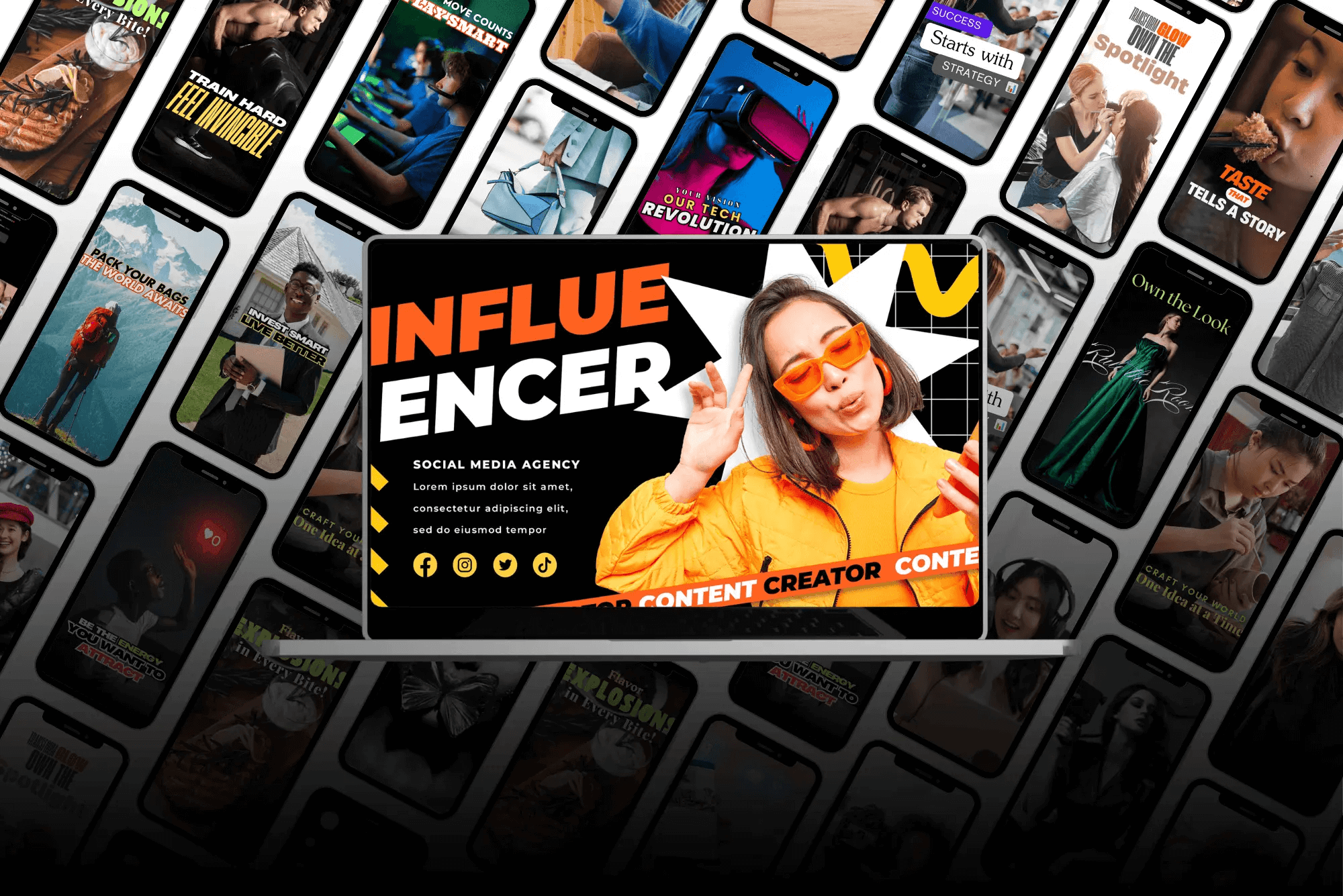
Stop losing viewers to boring edits. Algrowvert crafts videos designed to capture attention, build trust, and drive action. Perfect for brands, creators, and agencies.
Why choose us?
Attention-grabbing edits that make viewers stop scrolling
Optimized for social & marketing success
Creative storytelling that turns views into conversions
Quick delivery so you never miss a posting schedule
🔥 Your video content, leveled up. Book Algrowvert and turn every clip into a growth engine.
Algrowvert: Video Editing That Actually Converts is a productivity tool listed on OpenHunts. The listing describes it as Stop losing viewers to boring edits. Algrowvert crafts videos designed to capture attention, build trust, and drive action. Perfect for brands, creators, and agencies.

Algrowvert: Video Editing That Actually Converts highlights attention-grabbing edits that make viewers stop scrolling, optimized for social & marketing success, and creative storytelling that turns views into conversions. This helps users understand the core productivity workflow before visiting the official website.
Algrowvert: Video Editing That Actually Converts is listed as paid on OpenHunts. Check the official website for current plan limits, trials, and billing details.
Algrowvert: Video Editing That Actually Converts is best for people comparing productivity tools on OpenHunts, especially people using web, mobile, and desktop platforms.

Use the related projects section and category pages on OpenHunts to compare Algrowvert: Video Editing That Actually Converts with other productivity tools by platforms, pricing, and community activity.
These tools are selected from similar categories, platforms, and community activity on OpenHunts.

SnapShot is a web-based image editor that instantly beautifies screenshots and images. Key features include:Overlays: Add text, shapes, and other design elements to your images.3D Effects: Apply perspective and isometric effects for a professional look.Custom Styling: Adjust padding, aspect ratios, and backgrounds to create visually appealing graphics.Ideal for:Content creatorsIndie hackersEducatorsSnapShot offers a fast and hassle-free way to transform ordinary screenshots into stunning visuals for social media, presentations, and more, without requiring any software installation.

Creavit Studio is a macOS screen recording and video editing tool designed for creating professional-looking content quickly. Key features include:Background Removal: Easily remove and replace video backgrounds without a green screen.Custom Cursor: Customize the cursor appearance after recording for clarity and branding.Camera Tracking: Keep the camera focused on the cursor for engaging tutorials and demos.Automatic Zoom & Focus: Intelligent zoom and focus to highlight key areas during recording.Ideal for:Content creators producing social media videosProduct marketers creating demo videosEducators and trainers developing video tutorialsCreavit Studio offers a streamlined workflow, enabling users to produce high-quality videos without extensive editing experience, making it a powerful alternative to more complex video editing software.

Picmal is an all-in-one media converter for Mac that allows you to batch convert, compress, and optimize your images, videos, and audios offline. Key features include:Convert Between Formats: Change formats like PSD to PNG, AI to SVG, and MOV to MP4.Batch Processing: Convert hundreds of files at once by dragging and dropping.Presets and Customization: Use presets for common use cases or fine-tune settings.Ideal for:DesignersContent CreatorsAnyone needing to manage media filesPicmal offers offline functionality and respects your privacy, providing a secure and efficient media conversion experience.

Pixelate Image is a fast, free, privacy-first pixel art maker that turns any JPEG, PNG, or WebP file into stylized pixelated artwork. Upload your photo, select from five pixelation levels ranging from minimal to extreme, and preview results instantly in your browser. Our intelligent detail-preserving algorithm keeps key shapes sharp while delivering authentic pixelated aesthetics.Whether you are creating retro game assets, social media visuals, marketing campaigns, or mood boards, Pixelate Image streamlines the entire process. No downloads, no watermarks, no learning curve—just a smooth experience on desktop and mobile. All processing happens locally in your browser, so your files never leave your device.Key FeaturesOne-click pixelation: Convert images to pixel art instantly with adjustable intensity levels.Smart detail preservation: Maintain essential outlines and silhouettes for professional-looking pixelated images.Multi-format support: Upload JPEG, PNG, or WebP images up to 5MB and export high-quality files.Real-time preview: See every change as you adjust pixel sizes and quickly iterate toward the perfect look.Full commercial usage: Download pixelated artwork with unrestricted rights for personal or commercial projects.Privacy-first workflow: 100% browser-based processing—no uploads, no tracking, no watermarks.Responsive design: Optimized UI for desktop, tablet, and mobile so you can pixelate on the go.How It WorksUpload a JPEG, PNG, or WebP image (max 5MB) via drag-and-drop or file picker.Select your pixelation level—minimal, light, medium, heavy, or extreme.Review the live preview and fine-tune the effect until it matches your creative vision.Download the final pixelated image in your preferred format and start sharing or editing.

Merge JPG is a free online JPG merger that helps you combine multiple JPG files into one. Upload your JPG, JPEG, PNG, or WebP files and merge them vertically or horizontally. Perfect for creating photo collages, combining screenshots, or merging multiple images into a single picture. All image processing happens locally in your browser and is never uploaded to any server.Key FeaturesMultiple format support: Upload JPG, JPEG, PNG, WebP filesFlexible layouts: Choose vertical or horizontal mergingBatch processing: Upload up to 10 images at once (10MB each)Output format options: Download merged images as PNG, JPEG, or WebPDrag & drop interface: Easy file uploading with progress trackingImage arrangement: Drag to reorder images before mergingImage rotation: Rotate individual images 90 degrees clockwise/counterclockwiseReal-time preview: Live preview of merged resultsFull commercial rights: Use merged images for personal and commercial purposesResponsive design: Works great on mobile and desktopPrivacy-first: 100% client-side processing, no server storageHow It WorksUpload up to 10 images (JPG, JPEG, PNG, WebP, max 10MB each)Arrange images in desired order (drag to reorder)Rotate images if needed (90-degree increments)Choose layout: vertical (stacked) or horizontal (side-by-side)Select output format: PNG, JPEG, or WebPPreview the merged result in real-timeDownload your merged image

Minimalll is a web-based business card design tool focused on creating bold, minimal designs. Key features include:Minimalist Templates: A curated selection of modern, minimalist business card templates.Online Editor: An intuitive online editor for customizing text, colors, and layouts.Print-Ready Files: Generates high-resolution (300 DPI) TIFF CMYK files with crop marks, ready for professional printing.PDF Export: Download your design as a PDF file for easy sharing and printing.Ideal for:EntrepreneursFreelancersSmall business ownersDesigners seeking inspirationMinimalll offers a streamlined approach to business card design, focusing on simplicity and impact, providing print-ready files without offering printing services directly.