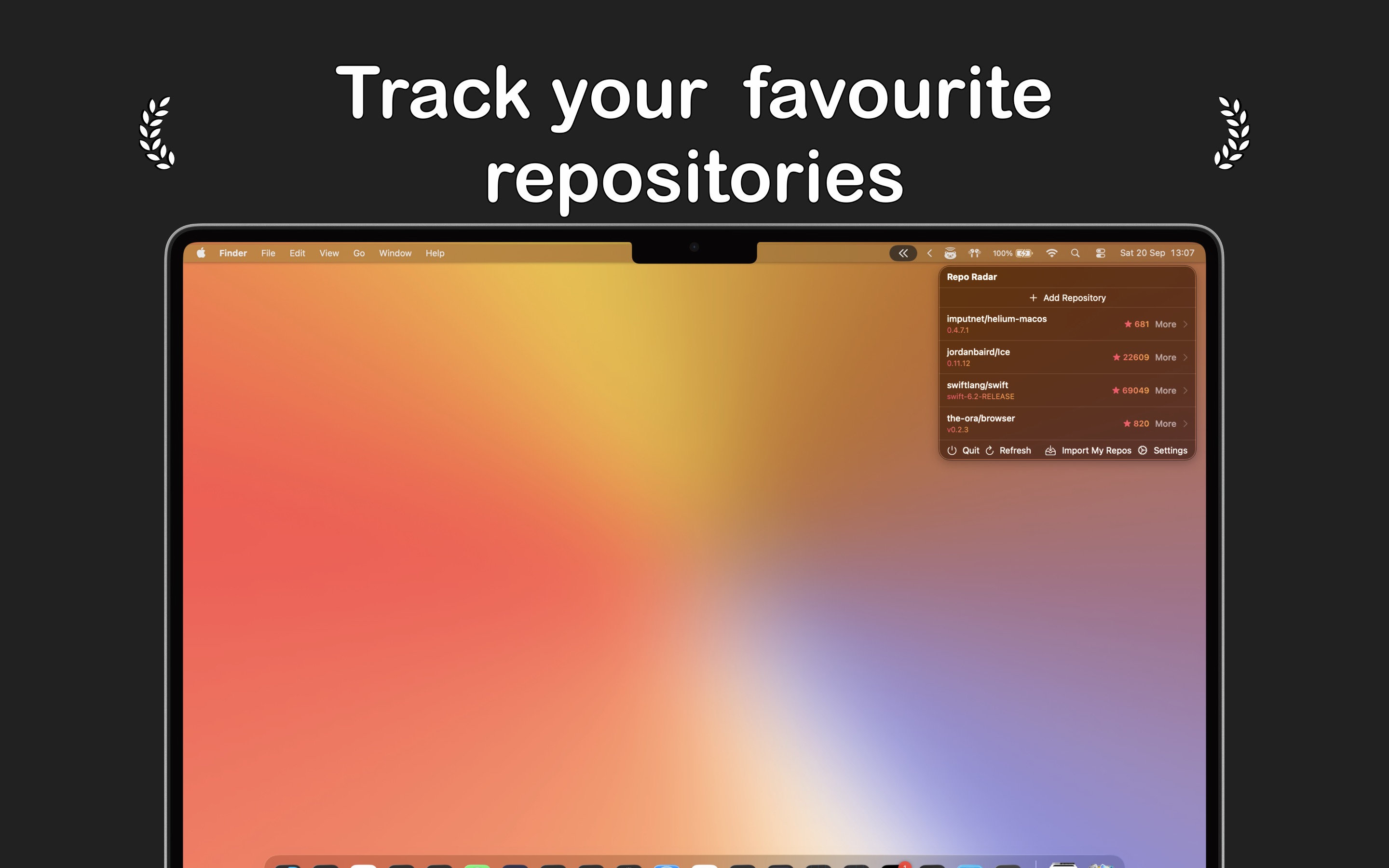
Repo Radar is a Mac menu bar app that helps developers track their favorite GitHub repositories. Key features include:
Ideal for:
Repo Radar provides a lightweight and native Mac experience, built with Swift, for fast and efficient GitHub monitoring.

Type smarter and express yourself better with the first AI-powered keyboard designed to help you write clearly and confidently in any app.Whether you're sending a message, writing an email, or posting online, this key board helps you instantly rewrite your text, adjust the tone, or simplify what you say—without leaving the app you're in.

Macuse is an AI assistant integration tool for macOS. It connects AI with native macOS apps, enabling advanced automation and control. Key features include:Deep Integration: Seamlessly integrates with Calendar, Mail, Notes, Reminders, Contacts, and Messages.Multi-App Workflow Automation: Chain commands across native apps to automate complex workflows.Universal Control: Directly control any macOS application through UI automation.Ideal for:Professionals seeking to automate repetitive tasks on macOS.Developers and power users looking to extend the capabilities of their AI assistants.Anyone wanting to streamline their macOS workflow with AI-powered automation.Macuse offers a unique way to supercharge your AI assistant by giving it direct access and control over your macOS applications, leading to unparalleled productivity gains.

IntroductionScreenSage is a professional screen recording and tutorial creation tool designed specifically for macOS. Key features include:High-Quality Recording: Capture your screen with crisp, clear video and audio.Annotation Tools: Add text, shapes, and drawings to your recordings in real-time.Easy Editing: Trim, cut, and merge recordings to create polished tutorials.Ideal for:Software developers creating demosEducators building online coursesCustomer support teams providing visual guidesScreenSage simplifies the process of creating professional-looking screen recordings and tutorials, making it easy to share your knowledge and expertise.

Corner Time is a minimalist macOS app designed to keep the time always visible, even when your menu bar is hidden or you're in fullscreen mode. This app is perfect for those who prefer a distraction-free workspace and embrace digital minimalism.WHY I BUILD THISI love keeping my menu bar hidden for a cleaner, distraction-free workspace. But constantly moving my cursor to the top just to check the time got annoying.So I built Corner Time – a native-like clock that could always show the current time in fullscreen mode or whenever the menu bar is hidden. It looks simple, but it has genuinely improved my daily workflow. Users have also said this is an eagerly long-awaited app.KEY FEATURESAlways Visible: The clock remains visible even during fullscreen sessions (even in Safari’s or VLC’s fullscreen mode), ensuring you never lose track of time.Customizable Formats: Choose from various formats and styles, or create your own custom format to suit your preferences.Lightweight: Designed to have a low energy impact, ensuring your device's performance is not compromised.Multi-Display Support: Automatically detects all connected displays, allowing you to enable or disable the clock on each display individually.Optional Background: Enhance readability on different placesStylized Fonts: Select the font that best matches your style, with local fonts support on the roadmap.Multi-Language Support: Automatically displays time in your system's language, with support for 10 languages.Introduction video: https://www.youtube.com/watch?v=G5y380i2M58Currently available on the Mac App Store for USD $1.99 and requires macOS 13.0 or later. Experience a native-like time display that integrates seamlessly into your workflow.

tldr: GitHub’s built-in repo analytics sucks, so I built a better oneAs a maintainer of a few open-source projects, I’ve always wanted to better understand the traffic sources and trends for my repos. Unfortunately, GitHub’s built-in analytics only show limited data from the past 14 days, which doesn’t provide much insight.That’s why I built Repohistory, a better GitHub repo analytics platform. It automatically fetches and stores your traffic data every day, so you’re no longer limited to just 14 days. The dashboard shows you:Daily star growthTotal views & clones over timeTop referral websitesMost-viewed pages in your repoSo if you have any public repos on GitHub, Repohistory can give you a much clearer picture of your traffic trends!

Chunk is a time block planner for macOS designed to enhance focus and productivity. Key features include:Time Blocking: Plan your day by dividing it into focused time blocks.Calendar Integration: Sync with Apple, Google, and Outlook calendars.Templates & Routines: Save and reuse task layouts for consistent workflows.Menu Bar Access: Quickly access and manage your schedule from the macOS menu bar.Notifications: Receive fullscreen notifications to stay on track.Ideal for:Individuals with ADHD seeking structured productivity tools.Professionals looking to optimize their daily schedule.Anyone seeking a simple and effective time management solution on macOS.Chunk offers a zero-bloat, focused approach to time blocking, making it a powerful tool for managing time and enhancing productivity, especially for those who benefit from structured routines.