
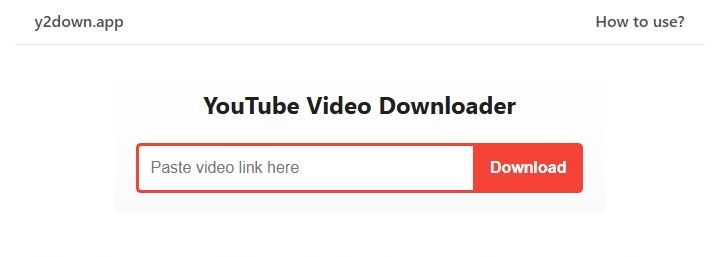
Y2Down is a powerful and completely free online platform designed to make downloading YouTube videos and extracting audio easier than ever. Whether you want to save videos for offline viewing or convert them into audio files for personal use, Y2Down offers a smooth, fast, and secure experience that works directly from your browser.
High-Quality Output: Enjoy crystal-clear media with support for 4K video downloads and MP3 audio extraction, ensuring the best quality for every file you save.
User-Friendly Design: The interface is simple, clean, and intuitive, making it easy for anyone — even first-time users — to navigate and complete downloads without complications.
100% Web-Based: No need to install any programs or create an account. Y2Down works entirely online, which means you can use it anytime and from any device, whether it’s a computer, tablet, or smartphone.

Fast and Efficient: The platform is optimized for high-speed processing, allowing you to download videos and audio files in just a few seconds, without delays or buffering.
Y2Down gives you complete control over your media, making it easy to save and enjoy YouTube videos or audio offline. It’s ideal for anyone who wants quick, high-quality downloads without relying on an internet connection. With its speed, simplicity, and reliability, Y2Down is one of the most convenient tools for downloading and converting YouTube content.

Make Graph is a free online graph maker that allows users to create a variety of charts and graphs. Key features include:Multiple Chart Types: Offers a wide selection of chart types, including bar, line, pie, scatter, radar, funnel, heat maps, word clouds, and maps.Ready-to-Use Templates: Provides professionally designed chart templates for common use cases to get started quickly.No Sign-Ups or Downloads: Users can create beautiful charts instantly without needing to register or install any software.Data Visualization: Transforms data into visually appealing and informative charts.Ideal for:Students needing to visualize data for school projectsProfessionals creating presentations and reportsResearchers analyzing and presenting dataMake Graph offers a simple and accessible way to create professional-looking charts and graphs online for free, making data visualization easy for everyone.

IntroductionVibe Musicing is an AI music generator that allows users to create songs with AI-generated music, lyrics, and beats. Key features include:AI Music Generation: Instantly generate music in various styles.AI Lyrics Generation: Create lyrics for your songs with AI.Customization Options: Fine-tune the style and title of your music.Music Gallery: Explore AI-generated music across multiple genres.Ideal for:Musicians seeking inspirationContent creators needing background musicAnyone interested in exploring AI music generationVibe Musicing offers a free and easy-to-use platform for creating unique AI-generated music, making it accessible to both beginners and experienced musicians.

Merge JPG is a free online JPG merger that helps you combine multiple JPG files into one. Upload your JPG, JPEG, PNG, or WebP files and merge them vertically or horizontally. Perfect for creating photo collages, combining screenshots, or merging multiple images into a single picture. All image processing happens locally in your browser and is never uploaded to any server.Key FeaturesMultiple format support: Upload JPG, JPEG, PNG, WebP filesFlexible layouts: Choose vertical or horizontal mergingBatch processing: Upload up to 10 images at once (10MB each)Output format options: Download merged images as PNG, JPEG, or WebPDrag & drop interface: Easy file uploading with progress trackingImage arrangement: Drag to reorder images before mergingImage rotation: Rotate individual images 90 degrees clockwise/counterclockwiseReal-time preview: Live preview of merged resultsFull commercial rights: Use merged images for personal and commercial purposesResponsive design: Works great on mobile and desktopPrivacy-first: 100% client-side processing, no server storageHow It WorksUpload up to 10 images (JPG, JPEG, PNG, WebP, max 10MB each)Arrange images in desired order (drag to reorder)Rotate images if needed (90-degree increments)Choose layout: vertical (stacked) or horizontal (side-by-side)Select output format: PNG, JPEG, or WebPPreview the merged result in real-timeDownload your merged image

IntroductionKeyboard Tester Pro is a free online tool that allows users to test the functionality of their keyboard keys. Key features include:Real-time Key Detection: Detects every key press instantly.Dual Layouts: Supports both Windows and Mac keyboard layouts.No Installation Required: Runs directly in your web browser.Safe and Secure: No data is collected or stored.Ideal for:Gamers experiencing ghosting issues.Individuals troubleshooting faulty keyboards.Technicians testing keyboards after repair or spills.Keyboard Tester Pro provides immediate visual feedback on key registration, making it the most reliable online tool for keyboard functionality testing across different devices and operating systems.

Snapchat Video Downloader is a web-based tool that allows users to download Snapchat videos in HD quality without watermarks. Key features include:HD Quality Downloads: Download Snapchat videos in their original high-definition format.No Watermark: Save videos without any added watermarks.Easy to Use: Simple and intuitive interface for quick video downloads.Supports Story Downloads: Download videos from Snapchat stories using a username or story link.Ideal for:Social media managersContent creatorsIndividuals wanting to save Snapchat videosSnapchat Video Downloader offers a fast, free, and privacy-focused way to download Snapchat videos, ensuring users can save their favorite content without compromising quality or security.

Pie Chart Maker is a web-based tool that allows users to create professional-looking pie charts quickly and easily. Key features include:Real-time Preview: Instantly see changes as you input data and customize the chart.Customizable Design: Choose from various color palettes, show percentages, and style the chart to match your brand.Export Options: Download charts in PNG, JPG, or PDF formats for easy sharing and integration.No Signup Required: Start creating charts immediately without the hassle of registration.Ideal for:Students needing to visualize data for presentations.Business professionals creating reports and presentations.Marketers presenting survey results.Pie Chart Maker offers a completely free and intuitive way to create visually appealing pie charts, making data presentation accessible to everyone.