
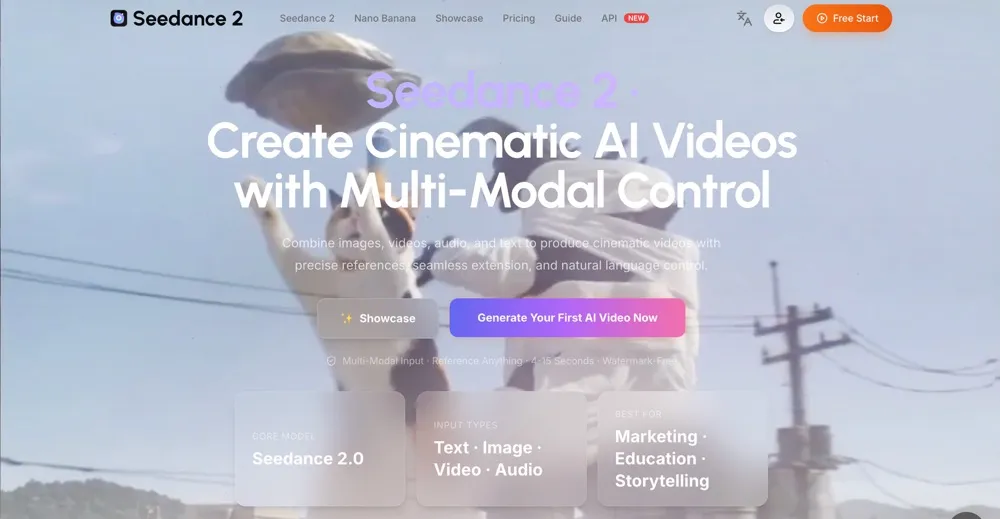
Seedance 2.5 AI Video Generator is a web workspace for creators who want longer, sharper AI video drafts from a Seedance-focused workflow. It highlights 4K video creation, up to 30s generation, and a clean prompt-to-video experience for cinematic social clips, product demos, ads, and storyboards.
The tool sits inside Seedance 2 AI Video, a broader AI video platform that brings together Seedance 2, Kling 3, Sora 2, Veo 3, Wan 2.7, Grok, and other models. Creators can start with fast ideas, compare model styles, and move toward more polished 4K 30s video results from one dashboard.
Seedance 2.5 AI Video Generator is a design tool listed on OpenHunts. The listing describes it as a web workspace for creators who want longer, sharper AI video drafts from a Seedance-focused workflow. It highlights 4K video creation, up to 30s generation, and a clean prompt-to-video experience for cinematic social clips, product demos, ads, and storyboards.
Based on the OpenHunts listing, Seedance 2.5 AI Video Generator works as a design tool. Check the project description, screenshots, and website link before trying it.
Seedance 2.5 AI Video Generator is listed as freemium on OpenHunts. Check the official website for current plan limits, trials, and billing details.
Seedance 2.5 AI Video Generator is best for people comparing design tools tools on OpenHunts, especially people using web platforms.
Use the related projects section and category pages on OpenHunts to compare Seedance 2.5 AI Video Generator with other design tools tools by platforms, pricing, and community activity.
These tools are selected from similar categories, platforms, and community activity on OpenHunts.

Wan Animate is an AI-powered platform that allows users to create character animations and swap characters in videos. Key features include:Character Animation: Bring any character to life by accurately capturing a performer's facial expressions and movements.Character Swap: Swap the video character with a photo character.Photo Animation: Animate photo characters based on performer videos.Ideal for:Content creatorsSocial media usersAnimatorsWan Animate offers a user-friendly interface to create stunning animations quickly and easily, without requiring advanced animation skills.
Remove watermarks, text, subtitles, and unwanted objects from videos online.What it doesRemoveFrom.Video leverages advanced AI to effortlessly remove watermarks, text overlays, hardcoded subtitles, and distracting objects from your video footage. It preserves the natural look and high quality of your videos, eliminating the need for complex editing software or professional skills. Simply upload your video and let the AI do the work.Key featuresAI Watermark Remover — Instantly erase logos, brand marks, and TikTok or YouTube watermarks without affecting video quality.AI Text Eraser — Automatically detect and remove titles, captions, and overlay text, seamlessly restoring the original background.AI Subtitle Remover — Effortlessly delete hardcoded subtitles and burned-in captions from any video, no manual frame-by-frame editing required.AI Object Eraser — Utilize advanced video inpainting to remove people, background distractions, signs, or any unwanted elements, keeping the scene natural.HD Output — Ensures your cleaned videos maintain high definition quality after removal.Use casesReposting social media content across different platforms while removing original watermarks.Cleaning up screen recordings or tutorials by removing text overlays and captions.Enhancing travel videos or marketing content by removing unwanted objects or people.What makes it differentRemoveFrom.Video offers a user-friendly, online solution powered by sophisticated AI for precise object removal without requiring any prior video editing experience or software installation. It focuses on maintaining video integrity and natural appearance post-removal.

AI face swap and image transformation tool for realistic photo editing. Create AI face swaps, preview age changes, retouch portraits, upscale images, try hairstyles, and generate AI professional headshots online. Key features include:Realistic AI Face Swaps: Seamlessly swap faces in your photos with advanced AI.Image Transformation Tools: Enhance portraits with age progression, retouching, and hairstyle previews.AI Headshot Generator: Create professional headshots effortlessly.Ideal for:Content creators needing engaging visualsIndividuals exploring personal image transformationsProfessionals seeking quick headshot solutionsTransform your photos with powerful AI face swap and image editing capabilities.

SeeVido AI empowers users to generate high-quality AI videos and images using advanced Seedance 2.0 and Seedream AI models.What SeeVido AI doesSeeVido AI transforms text prompts and uploaded photos into captivating visual content for social media, marketing, and creative projects. Leverage powerful AI tools to generate unique images and dynamic videos with remarkable speed and ease.Key features of SeeVido AIAI Video Generator — Creates high-quality videos from text prompts or images, offering a powerful way to visualize ideas.Photo to Video — Blends uploaded photos seamlessly using AI facial feature detection to produce unique images or videos.Creative Possibilities — Enables gender and age transformation, new scenario creation, meme generation, and more for limitless creative expression.AI Remaker — Converts photos into videos across various media formats, supporting diverse creative project needs.Privacy Protection — Ensures uploaded photos are deleted within 24 hours, safeguarding user privacy.Fast Processing — Generates content in seconds for efficient workflow and rapid content creation.Use cases with SeeVido AIInstantly create engaging social media video clips from a single photo.Generate marketing visuals and ad creatives with custom text prompts.Explore creative possibilities by transforming existing photos into new video scenarios.What makes it different with SeeVido AISeeVido AI offers a unique combination of advanced AI models like Seedance 2.0 and Seedream AI, coupled with robust privacy features and rapid processing, making professional-grade AI content creation accessible and efficient.

Opusly is a scene-first AI studio for creators. Rather than crafting prompts, you choose a scene and Opusly runs the right model for you — across images, video, and playful redraws.## Key features- Auto model-picking for AI images (Nano Banana 2 for text-to-image, GPT-Image-2 for edits), multiple aspect ratios and resolutions- One-pass AI video with native voice, lip-sync, and music generated together — no separate TTS step (4–15s clips)- Italian Brainrot generator for chaotic 10–15s character videos- MS Paint AI redraws via MSPaintify — turn any photo into clumsy MS Paint art across 4 styles, export PNG- One credit wallet across every tool## What makes it different- Scene-first instead of prompt-first — no prompt engineering needed- Opusly auto-selects the best model per task, so you don't compare models- Image and video share a single wallet, not separate subscriptions## What you can expect- Idea to finished image or short video in a few clicks- Free tier with 30 starter credits to begin- The Opusly blog breaks down how auto-model-picking works and decodes viral AI trends

AI room design tool that transforms photos into photorealistic interior redesigns in seconds. Key features include:Photorealistic redesigns: Generate stunning, high-quality room makeovers in 12 curated styles.Multiple action modes: Explore different design possibilities with 5 distinct action modes.Fast generation: Receive your AI-generated room design in 20-40 seconds.Ideal for:Homeowners looking for interior design inspirationReal estate agents staging properties virtuallyDIY enthusiasts experimenting with stylesTransform your space with AI-powered interior design, offering commercial use on paid plans.