Introduction
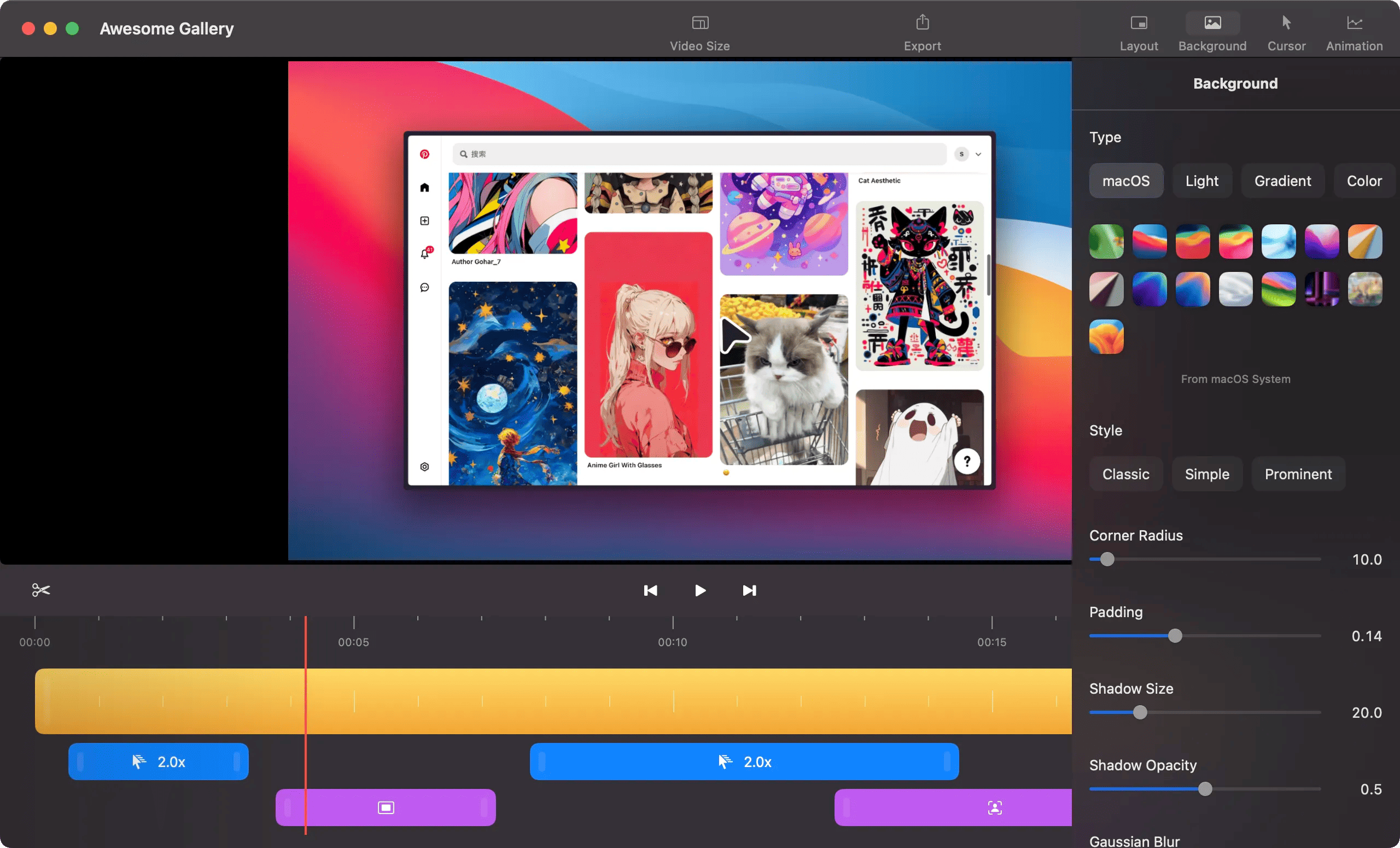
ScreenSage is a professional screen recording and tutorial creation tool designed specifically for macOS. Key features include:
Ideal for:
ScreenSage simplifies the process of creating professional-looking screen recordings and tutorials, making it easy to share your knowledge and expertise.

EVY is your AI co-creator that lives inside any app you use. Just press the EVY-Key, speak, and she turns your thoughts into docs, copy or content in seconds. No more typing long prompts – you ask, she listens, and the result appears right where you need it.Key Features:Write or edit in any app with AI assistance.Record and remember meetings both online and offline.Scale your brand with shared context and voice.Content transformation, optimized for performance.Push-to-talk to EVY from anywhereShe keeps your project context and voice in any app, so every team member writes on point without re-explaining anything. Ask EVY to interview you for fresh ideas, brainstorm on the fly, or point at a sentence and tell her how to tweak it. AI across all apps gets unified, and you stay in the flow.

CrePal is an all-in-one AI video creation agent that helps you turn your ideas into stunning videos. Key features include:AI Director: Automatically creates videos for you.AI MV Generator: Generates music videos.Smart Editor: Easily make changes by chatting.Ideal for:Social media marketersContent creatorsBusinesses needing video contentCrePal unifies cutting-edge AI models to create captivating visual stories in minutes.

soAlternative is a web platform that helps users discover and compare alternatives to popular design, development, and productivity tools. Key features include:AI-Powered Search: Find alternatives using AI.Curated Lists: Browse curated lists of alternatives organized by tool type.Feature Comparison: Compare features of different tools.Ideal for:DesignersDevelopersProject ManagerssoAlternative simplifies the process of finding the perfect tool by providing a centralized and AI-powered comparison platform.

Kitchenmonks is an intelligent workflow platform for professional kitchens. It turns daily mise en place, prep, and service into structured, real-time operations. Every action becomes data. Every station sees the same source of truth. Teams gain control over timing, quality, and output.What it doesStreamlines prep and mise en place into a digital, trackable flowSyncs tasks across devices so chefs, runners, and station leads stay alignedDelivers real-time insights into progress, workload, and service readinessConnects seamlessly with existing hospitality and management tools for a unified operational stackTransforms kitchen performance into actionable data for better planning, staffing, and purchasingCore featuresDigital Mise en PlacePlan, assign, and complete every prep task in one dashboard. Teams instantly see what’s ready, what’s in progress, and what still needs attention.Instant RecipesOne-click access to standardized recipes and methods ensures precision, consistency, and speed - no paper or confusion.Real-Time InsightsLive visibility into kitchen performance, prep status, and upcoming service loads enables proactive management and smoother shifts.Activity TrackingTrack who did what, when, and how fast. Valuable data for training, process optimization, and maintaining consistency across teams.Plug & Play IntegrationsConnect KitchenMonks easily with POS, staff scheduling, procurement, and inventory systems. It becomes the intelligent layer that unites your entire operation.Offline-FirstBuilt for the realities of kitchens - tasks keep running and sync automatically when the connection restores.Multi-Location ControlManage several sites from one interface. Standardize menus, monitor workflows, and ensure consistency across locations with local flexibility.Why it stands outBuilt for the frontline. KitchenMonks matches the rhythm of real kitchens, turning prep, timing, and teamwork into precise digital coordination.Proven performance. Developed with chefs and operators, it delivers tighter control, faster execution, and consistent quality across every service.Actionable intelligence. Every workflow generates live data that fuels smarter planning, staffing, and purchasing decisions.Effortless scale. Manage multiple sites, standardize operations, and monitor performance from one intuitive platform.Ideal forRestaurants, hotels, and multi-site hospitality groups looking for operational clarityKitchen managers and head chefs who want instant visibility and control on the floorRestaurant or chain owners who want remote access to live data and insights across locationsOperations and F&B directors focused on scaling quality, speed, and consistency across multiple outlets

Creavit Studio is a macOS screen recording and video editing tool designed for creating professional-looking content quickly. Key features include:Background Removal: Easily remove and replace video backgrounds without a green screen.Custom Cursor: Customize the cursor appearance after recording for clarity and branding.Camera Tracking: Keep the camera focused on the cursor for engaging tutorials and demos.Automatic Zoom & Focus: Intelligent zoom and focus to highlight key areas during recording.Ideal for:Content creators producing social media videosProduct marketers creating demo videosEducators and trainers developing video tutorialsCreavit Studio offers a streamlined workflow, enabling users to produce high-quality videos without extensive editing experience, making it a powerful alternative to more complex video editing software.

Selects is an AI-powered rough cut tool that automates the initial 70% of video editing work. Key features include:Automated Prep: Automatically sorts, organizes, and reviews raw video footage.Multi-Cam Sync: Automatically syncs multi-cam files, including 4K and 360° videos.Smart Stringout: Organizes footage into topic-based chapters.Ideal for:Video EditorsContent CreatorsStudiosSelects saves hours on the tedious prep work, allowing editors to focus on the creative aspects of video production.