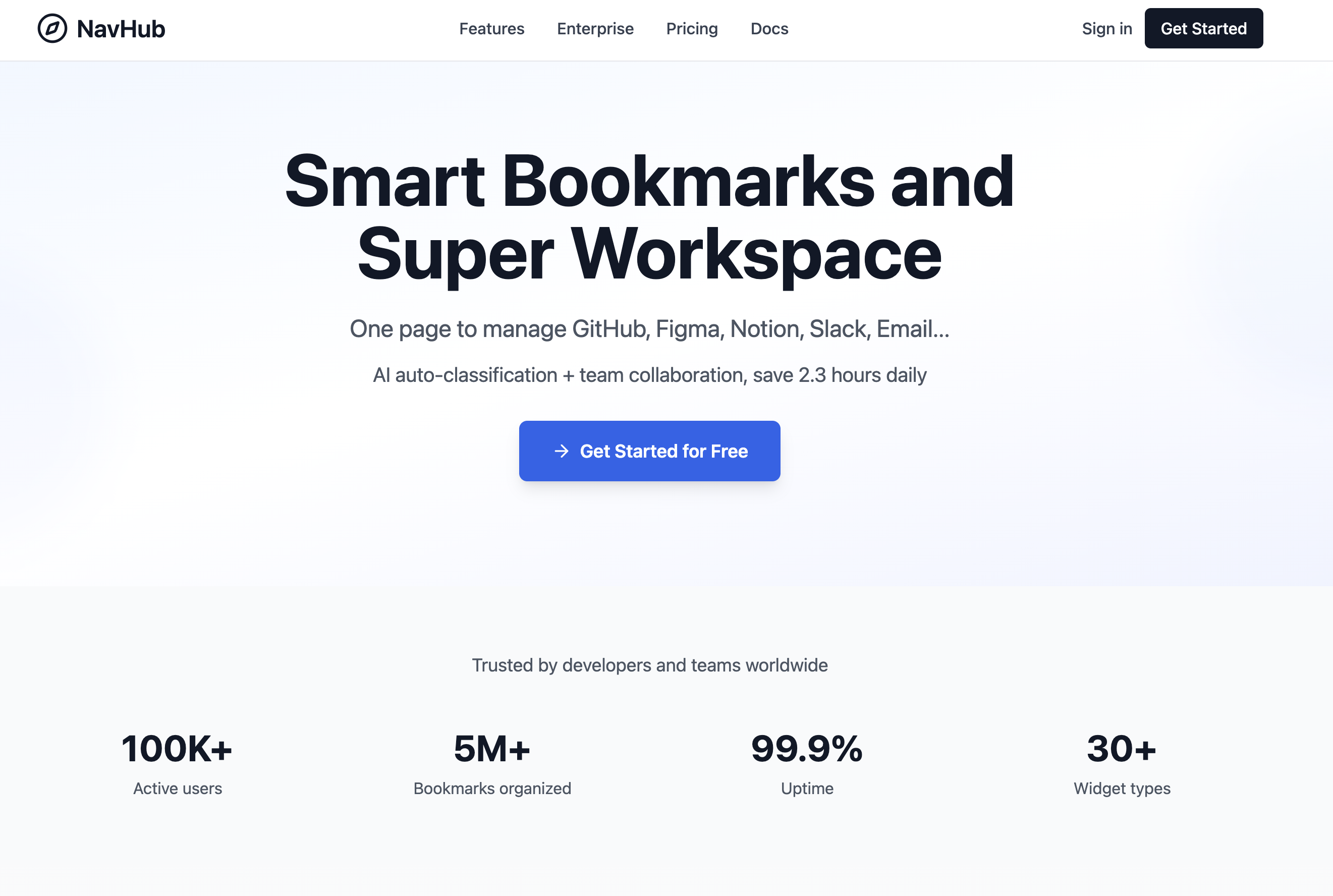
NavHub is an AI-powered bookmark and super workspace tool designed for developers, product managers, and teams to efficiently manage GitHub, Figma, Notion, Slack, and more. With AI auto-categorization and real-time collaboration, users save 2.3 hours daily. Key highlights:
Personalized Dashboard: Drag-and-drop custom layouts with 30+ widgets and smart bookmark search, boosting productivity by 55%.
Team Collaboration: One-click workspace sharing, real-time sync, and role-based permissions—trusted by 100K+ active users and 5M+ organized bookmarks.
Enterprise-Grade Security: End-to-end AES-256 encryption, GDPR, SOC2, and ISO 27001 compliant, with zero data tracking.
99.9% uptime, loved by professionals worldwide. Start your free trial now—no credit card required!
NavHub is a design tool listed on OpenHunts. The listing describes it as an AI-powered bookmark and super workspace tool designed for developers, product managers, and teams to efficiently manage GitHub, Figma, Notion, Slack, and more. With AI auto-categorization and real-time collaboration, users save 2.3 hours daily. Key highlights:.
NavHub highlights personalized dashboard, team collaboration, and enterprise-grade security. The listed feature details mention ways to drag-and-drop custom layouts with 30+ widgets and smart bookmark search, boosting productivity by 55%, one-click workspace sharing, real-time sync, and role-based permissions—trusted by 100K+ active users and 5M+ organized bookmarks, and end-to-end AES-256 encryption, GDPR, SOC2, and ISO 27001 compliant, with zero data tracking.
NavHub is listed as free on OpenHunts. Check the official website for current plan limits, trials, and billing details.
NavHub is best for people comparing design tools tools on OpenHunts, especially people using web platforms.
Use the related projects section and category pages on OpenHunts to compare NavHub with other design tools tools by platforms, pricing, and community activity.
These tools are selected from similar categories, platforms, and community activity on OpenHunts.

Discover books similar to your favorites. Browse curated recommendations by genre, author, and theme to find your next great read.

A component library that provides pre-built UI blocks and components for Shadcn UI, React, and Tailwind projects. Key features include:Extensive Block Library: Access a vast collection of pre-designed UI blocks for various use cases.Component Variety: Utilize a wide range of Shadcn UI components.Seamless Integration: Copy and paste components directly into your project or install via the Shadcn CLI.Ideal for:Web developersUI/UX designersFront-end developersShadcnblocks streamlines the development process by offering ready-to-use, customizable UI elements, saving time and effort in building visually appealing and functional web applications.

Push changes to any website instantly with AIDescribe changes in plain English – copy, colours, links, or new content. No code required.Instant Previews: See changes immediately with multiple design variants.Live Publish: Deploy instantly without PRs. Rollback anytime.Universal†: Works with WordPress, Wix, Shopify, Webflow, and custom sites.No Install: Try immediately. Add a one-line script to go live.Why Microedits?We eliminate the friction between AI code generation and production deployment. Perfect for quick changes.Free for limited use!Get started for free using our capable standard models.† Works on any standard HTML/CSS website. Best results on static websites. Highly dynamic web applications may vary.

SuperDev Pro is a browser extension that combines 14 essential web development tools into one convenient package. Key features include:CSS Inspector & Editor: Inspect and edit CSS properties in real-time directly within your browser.Live Text Editor: Modify text content on any website as if you were typing in a document.Font Changer: Instantly switch between 1000+ Google and local fonts.Image Extractor: Easily extract images from any webpage.Ideal for:Web developersFront-end designersUI/UX engineersSuperDev Pro streamlines your workflow by eliminating the need for multiple extensions, saving you time and boosting your productivity.

Shadcraft is a production-ready UI kit and React component library built on top of shadcn/ui.It helps designers and developers move faster by starting from real components, real patterns, and real code, not abstract design systems or placeholder UI.Shadcraft includes a fully-featured Figma UI kit that mirrors the shadcn/ui ecosystem, plus an optional React kit that installs directly into your project via the shadcn CLI. Components, variants, tokens, and structure are aligned end to end, so design and code stay in sync.You get:All shadcn/ui components and blocks, ready to useAdvanced theming with design tokens and globals.cssA Figma kit that matches production code structureA React kit with clean, extensible componentsPatterns built for real products, not demosShadcraft is for teams who want to skip the setup, avoid rework, and ship high-quality interfaces faster, whether you are designing, building, or doing both.Built for modern stacks. Ready for production on day one.

Image Inverter is a free, privacy-first online tool that lets you invert, flip, and mirror images directly in your browser — no signup, no uploads to external servers, and zero cost.Why Image Inverter?Every image transformation happens client-side using your browser's native processing power. Your photos never leave your device, making it one of the most privacy-conscious image tools available online.Key Features:Instant Color Inversion — transform any photo into its negative counterpart with a single clickHorizontal & Vertical Flipping — mirror images along any axis for design compositions or creative effectsMultiple Format Support — works seamlessly with PNG, JPG, and WebP files100% Browser-Based — all processing runs locally, nothing is uploaded to any serverNo Account Required — start editing immediately without registration or loginMobile Friendly — works perfectly on phones, tablets, and desktopsPerfect For:Photographers working with film negative scansGraphic designers creating contrast mockups and visual experimentsContent creators preparing social media assetsAccessibility specialists adjusting image contrast for better readabilityAnyone who needs a quick, reliable image manipulation tool without installing softwareBuilt for speed and simplicity — just drag, drop, and transform. Try it free at https://imageinverter.app