
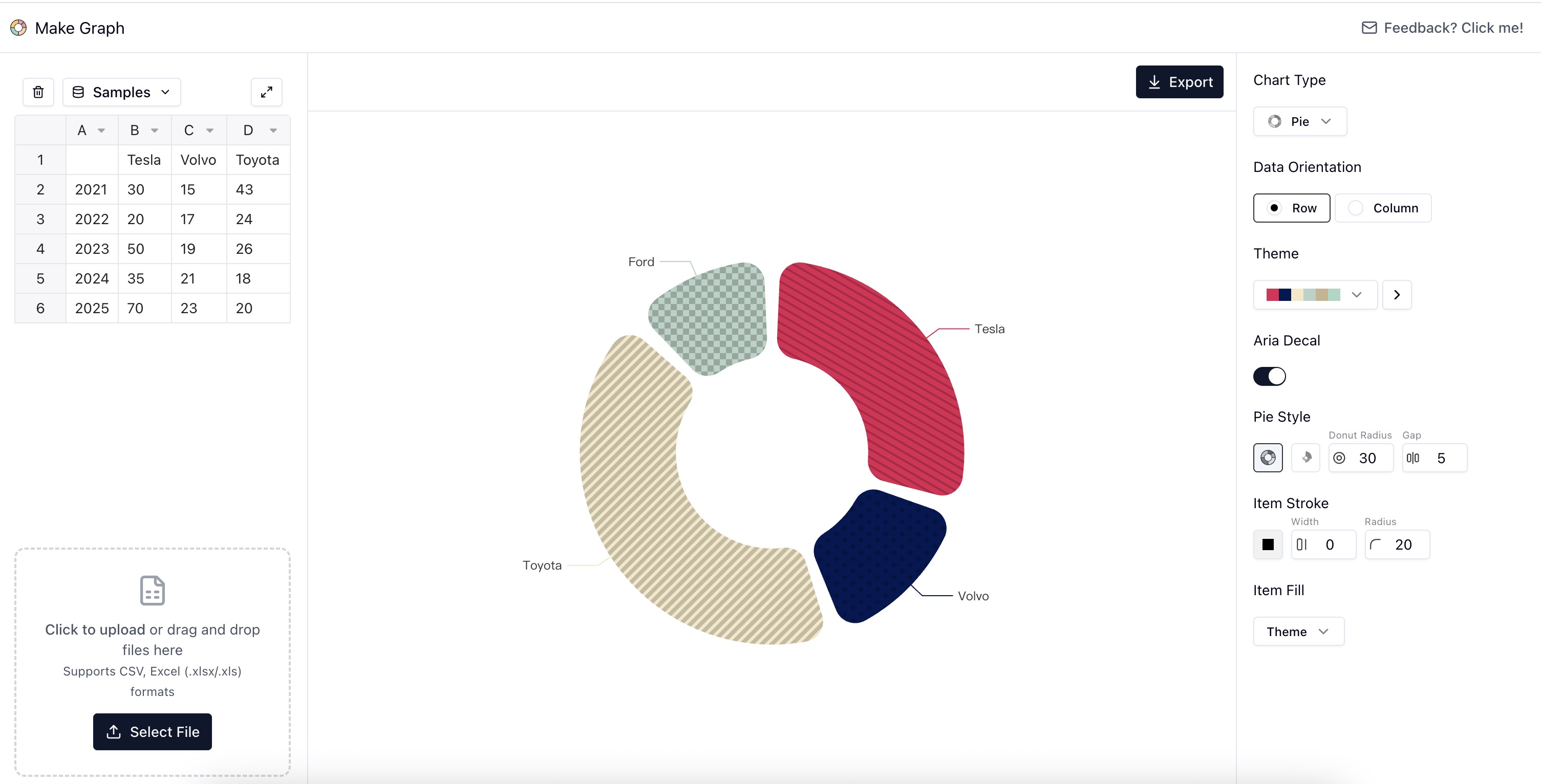
Make Graph is a free online graph maker that allows users to create a variety of charts and graphs. Key features include:
Ideal for:
Make Graph offers a simple and accessible way to create professional-looking charts and graphs online for free, making data visualization easy for everyone.
Make Graph is a productivity tool listed on OpenHunts. The listing describes it as a free online graph maker that allows users to create a variety of charts and graphs.
Make Graph highlights multiple chart types, ready-to-use templates, and no sign-ups or downloads. The listed feature details mention ways to offers a wide selection of chart types, including bar, line, pie, scatter, radar, funnel, heat maps, word clouds, and maps, provides professionally designed chart templates for common use cases to get started quickly, and users can create beautiful charts instantly without needing to register or install any software.
Make Graph is listed as free on OpenHunts. Check the official website for current plan limits, trials, and billing details.
Make Graph is best for students needing to visualize data for school projects, professionals creating presentations and reports, and researchers analyzing and presenting data. It is also useful for people comparing productivity tools on OpenHunts.


Use the related projects section and category pages on OpenHunts to compare Make Graph with other productivity tools by platforms, pricing, and community activity.
These tools are selected from similar categories, platforms, and community activity on OpenHunts.

AI-powered graph maker that creates professional charts from your data in seconds. Upload, paste, or manually enter data for instant, AI-formatted results. Key features include:Instant graph generation: Create line, bar, and pie charts effortlessly.AI-powered formatting: Get perfect, professional-looking graphs automatically.Multiple data input methods: Paste from Excel, upload files, or enter manually.Ideal for:Data analysts visualizing trendsStudents creating project chartsBusiness professionals presenting insightsTransform your raw data into clear, insightful visualizations with this intuitive AI graph generator.

Export any website to Figma as fully editable layers in one click. Fonts, colors, images, and auto-layout all preserved.

Curated software directory for essential productivity, dev, design, and AI tools. Discover the must-have software and services to enhance your digital stack. Key features include:Hand-picked selections: Expertly curated list of top-tier software across various categories.Comprehensive categories: Explore tools for AI, development, design, productivity, and more.Discount and affiliate programs: Access exclusive deals and earn through referrals.Ideal for:Developers seeking new toolsDesigners looking for inspirationProductivity enthusiasts optimizing workflowsFind your next essential tool with this comprehensive software directory.

Flowova is an AI-powered tool that generates flowcharts from text descriptions, images, and documents. Key features include:Text-to-Flowchart: Convert plain language descriptions into visual flowcharts.Multi-Format Input: Supports text, images (screenshots, diagrams), and PDF uploads.Automated Layout: AI automatically arranges shapes and connections for a clean design.Ideal for:Project managersSoftware developersBusiness analystsFlowova streamlines the flowchart creation process, saving time and effort compared to manual diagramming.

We make you ready, not just slides. Most AI give you slides to study. CubeOne gives you the story, script, and visuals so you can present right away. Go from nothing to stage-ready in 5 min. Stop making slides, start telling the story.

Transform your data into engaging presentations with AI.What it doesData2Slide leverages advanced artificial intelligence to convert your raw data files into polished, interactive presentations. Simply upload your CSV, Excel, PDF, or even a screenshot, and within minutes, receive a ready-to-share presentation designed for live delivery or offline access.Key featuresAI-Powered Presentation Generation — Automatically structures and designs slides from your uploaded data, saving hours of manual work.Multi-Format Support — Accepts CSV, Excel, PDF, and image files, offering flexibility for various data sources.Interactive Elements — Embeds dynamic charts and graphs that allow for live audience engagement.Quick Turnaround — Generates complete presentations in under 5 minutes, ideal for urgent needs.Downloadable Offline Versions — Provides presentations in formats suitable for offline viewing and sharing.Use casesBusiness analysts creating quarterly performance reviews from sales data.Researchers presenting findings from statistical reports.Marketing teams visualizing campaign results from spreadsheets.Educators generating lecture slides from course data.What makes it differentData2Slide focuses on rapid, AI-driven conversion of structured data into presentation-ready formats, offering a unique blend of speed, interactivity, and broad file compatibility that surpasses traditional presentation software and manual creation methods.