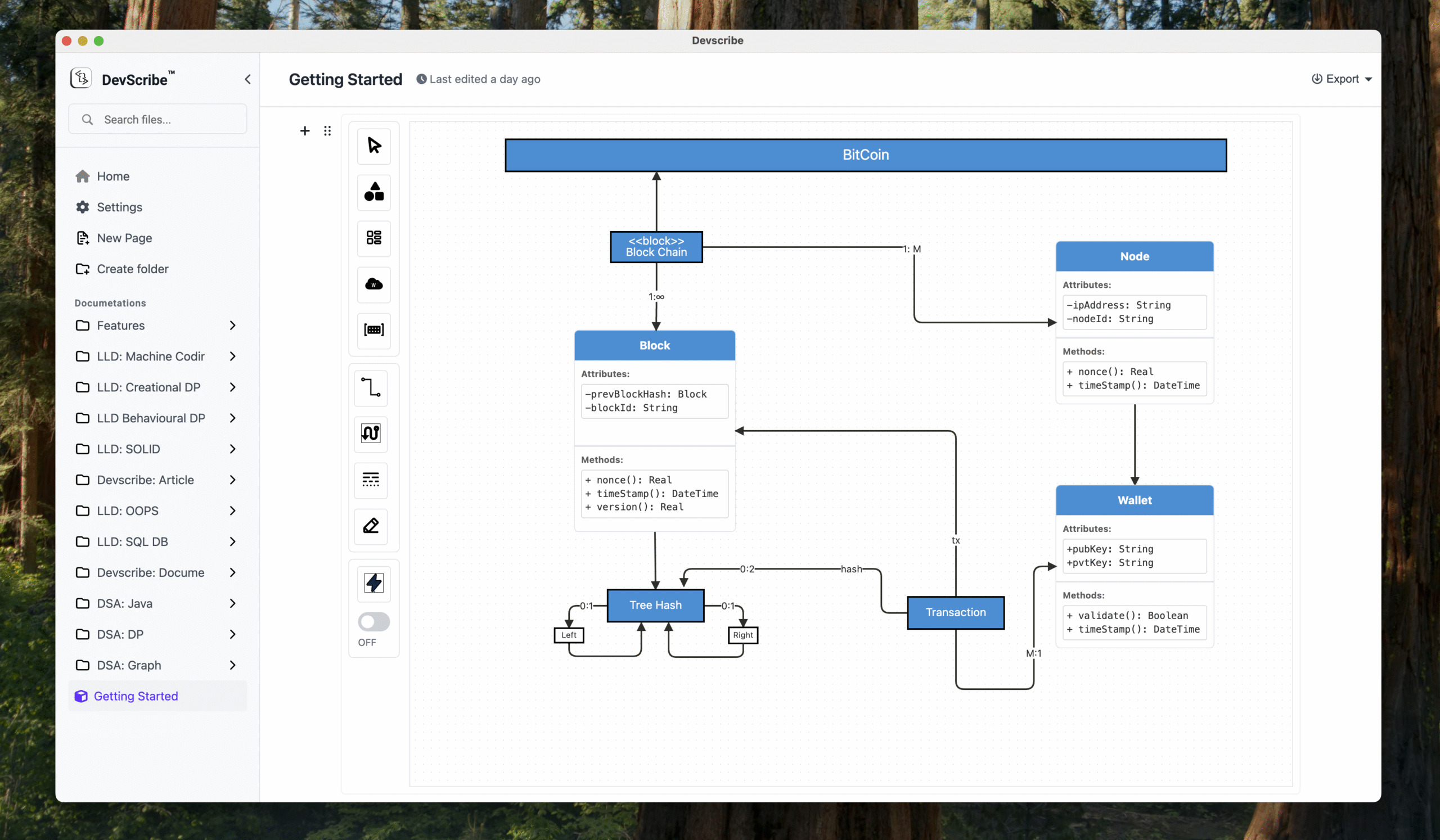
Devscribe is an all-in-one offline developer workspace designed to boost productivity. It allows developers to write documentation, create diagrams, test APIs, view databases, and run code all within a single application. Key features include:
Ideal for:
Devscribe offers a unique value proposition by eliminating context switching and providing a secure, local-only environment for sensitive code and data, enhancing documentation speed and overall developer efficiency.

Flowova is an AI-powered tool that generates flowcharts from text descriptions, images, and documents. Key features include:Text-to-Flowchart: Convert plain language descriptions into visual flowcharts.Multi-Format Input: Supports text, images (screenshots, diagrams), and PDF uploads.Automated Layout: AI automatically arranges shapes and connections for a clean design.Ideal for:Project managersSoftware developersBusiness analystsFlowova streamlines the flowchart creation process, saving time and effort compared to manual diagramming.

Picmal is an all-in-one media converter for Mac that allows you to batch convert, compress, and optimize your images, videos, and audios offline. Key features include:Convert Between Formats: Change formats like PSD to PNG, AI to SVG, and MOV to MP4.Batch Processing: Convert hundreds of files at once by dragging and dropping.Presets and Customization: Use presets for common use cases or fine-tune settings.Ideal for:DesignersContent CreatorsAnyone needing to manage media filesPicmal offers offline functionality and respects your privacy, providing a secure and efficient media conversion experience.

Repo Radar is a Mac menu bar app that helps developers track their favorite GitHub repositories. Key features include:Repository Watching: Add repositories by URL or owner/repo to monitor.At-a-Glance Updates: See the latest release, star count, and activity directly from the menu bar.Smart Notifications: Get alerted when new releases are published.Ideal for:Developers who want to stay updated on open-source tools.Project maintainers monitoring their own repositories.Anyone who wants to track GitHub activity without browser clutter.Repo Radar provides a lightweight and native Mac experience, built with Swift, for fast and efficient GitHub monitoring.

h00k.dev is a webhook inspection and debugging tool that simplifies webhook development. Key features include:Real-Time Inspection: See webhooks as they arrive without needing to refresh, providing instant visibility.Mock Responses: Create custom responses to test different scenarios and edge cases.Request Forwarding: Forward requests to your local development server for real-time debugging.AI-Powered Mock Responses: Generate realistic mock responses using AI to save time on test data creation.Snapshots: Save and share specific requests for bug reports and collaboration.Ideal for:Developers building integrationsQA engineers testing webhook functionalityDevOps teams monitoring webhook performanceh00k.dev offers a privacy-first design with data encryption and automatic deletion, making it a secure and efficient solution for webhook management.

Macuse is an AI assistant integration tool for macOS. It connects AI with native macOS apps, enabling advanced automation and control. Key features include:Deep Integration: Seamlessly integrates with Calendar, Mail, Notes, Reminders, Contacts, and Messages.Multi-App Workflow Automation: Chain commands across native apps to automate complex workflows.Universal Control: Directly control any macOS application through UI automation.Ideal for:Professionals seeking to automate repetitive tasks on macOS.Developers and power users looking to extend the capabilities of their AI assistants.Anyone wanting to streamline their macOS workflow with AI-powered automation.Macuse offers a unique way to supercharge your AI assistant by giving it direct access and control over your macOS applications, leading to unparalleled productivity gains.

IntroductionScreenSage is a professional screen recording and tutorial creation tool designed specifically for macOS. Key features include:High-Quality Recording: Capture your screen with crisp, clear video and audio.Annotation Tools: Add text, shapes, and drawings to your recordings in real-time.Easy Editing: Trim, cut, and merge recordings to create polished tutorials.Ideal for:Software developers creating demosEducators building online coursesCustomer support teams providing visual guidesScreenSage simplifies the process of creating professional-looking screen recordings and tutorials, making it easy to share your knowledge and expertise.