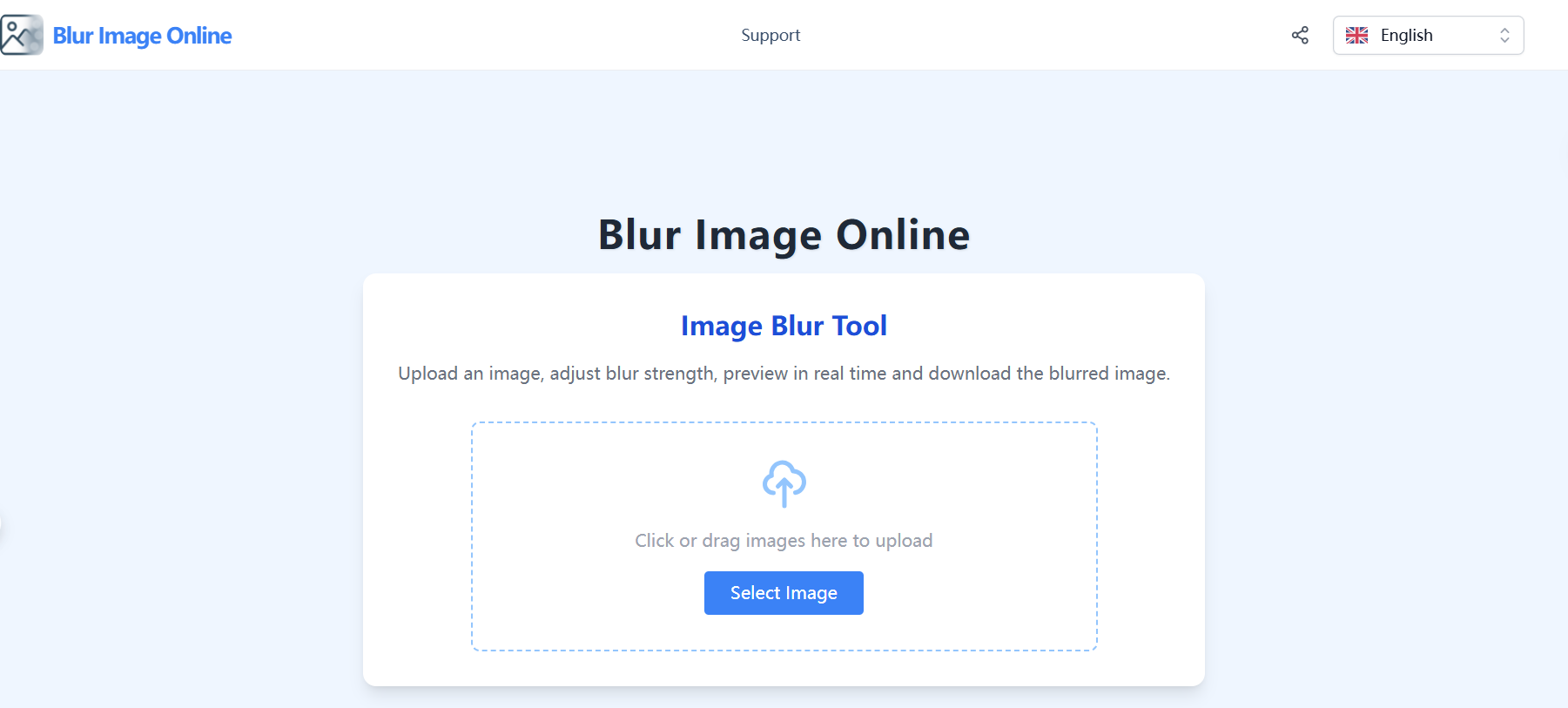
Blur Image Online is a web-based tool that allows users to quickly and easily blur images. Key features include:
Ideal for:
Blur Image Online offers a fast, free, and user-friendly way to blur images without requiring any software downloads or complex editing skills.
Blur Image Online is a design tool listed on OpenHunts. The listing describes it as a web-based tool that allows users to quickly and easily blur images.
Blur Image Online highlights adjustable blur strength, real-time preview, and support for major formats. The listed feature details mention ways to control the intensity of the blur effect with an intuitive slider, see the changes instantly as you adjust the blur, and upload images in JPG, PNG, and WEBP formats.
Blur Image Online is listed as free on OpenHunts. Check the official website for current plan limits, trials, and billing details.
Blur Image Online is best for photographers looking to add creative effects., individuals wanting to protect privacy in photos., and social media users creating visually appealing content.. It is also useful for people comparing design tools tools on OpenHunts.
Use the related projects section and category pages on OpenHunts to compare Blur Image Online with other design tools tools by platforms, pricing, and community activity.
These tools are selected from similar categories, platforms, and community activity on OpenHunts.

tiny.SUPPLY is a custom avatar service that creates simple, minimalistic profile pictures. Key features include:custom hand-drawn avatar in SVG format, made in Figma.clean and simple aesthetic for profile pictures.reflecting character's persona, unique for each member.Ideal for:Individuals seeking a unique and personalized profile picture.Companies looking for consistent branding across employee avatars.Crypto and gaming enthusiasts.

700+ hand-crafted icons in 1,400+ variants built for modern products. Designed to make professional interfaces feel human.Perfect for teams who care about detailsWhether you're designing product UIs, building marketing sites, or creating presentations that actually engage, Amicons gives your work the friendly edge that users notice and remember.Trusted by: Product designers, UI/UX teams, Marketing professionals, Developers, Content creators.What you get✅ 700+ meticulously hand-crafted icons (no AI, just human artistry).✅ 2 complete styles: Line + Solid = 1,400 total variants.✅ 43 organised categories. Find what you need instantly.✅ Professional Figma file with searchable components.✅ SVG files in organised folders.✅ High-res PNG exports for any project.✅ PDF files for print materials.✅ Lifetime updates. Icons are added over time. Last update: June 2024.Use them everywhereLanding pages • Mobile apps • Websites • Pitch decks • Presentations • Print materials • Marketing campaigns • Product interfacesWhy people choose Amicons🎯 Quality first – Every one of 700+ icons crafted for absolute consistency😊 Friendly, not cutesy – Professional warmth your users will actually appreciate🔍 Smart organisation – Comprehensive tagging makes finding icons effortless🔄 Always growing – Free lifetime updates mean your library keeps expanding

UIHut is a vast library of UI design resources, offering a wide range of assets to accelerate design workflows. Key features include:26,000+ Design Resources: Access UI kits, web templates, illustrations, icons, and more.Editable Design Files: Download and customize design resources with organized files and layers.Figma Plugin: Seamlessly integrate UIHut resources into your Figma workflow.Ideal for:UI/UX designersWeb developersEntrepreneursUIHut provides a comprehensive and easily accessible collection of design assets, saving designers time and effort in creating stunning user interfaces.

Shotlab is a lightweight screenshot editor built for creators, indie hackers, and marketers who want better engagement without spending hours on design. Key Features: 📐 Pre-sized canvases for ProductHunt, Twitter, Reddit & more. 🎨 Stunning backgrounds, gradients, cool stickers, frames & more. ⚡ Instant styling - spacing, shadows, and layout handled for you. 🧩 Minimal, distraction-free UI built for speed & efficiency. What makes Shotlab different? ⚡ Focuses on speed + outcomes, not endless customization. ⏱️ Go from raw screenshot to polished visual in under 30 seconds. 🎯 No design skills required. Real outcomes you can expect: 📈 Higher engagement on posts (people actually stop scrolling). ✨ More professional-looking content instantly. ⚡ Faster screenshot editing without needing any design skills. If you regularly share screenshots online, Shotlab helps you make them impossible to ignore.

AI image generator that creates studio-quality visuals through chat. Refine designs across multiple turns without restarting and export up to 4K. No Photoshop or prompt engineering needed.Key features include:Chat-based image generation: Describe your vision and iterate through conversation for perfect results.Multi-turn refinement: Easily tweak and improve images without starting over.Pro-quality export: Export visuals up to 4K resolution with no quality loss.Ideal for:Content creators needing high-CTR thumbnailsBrands requiring consistent visual assetsE-commerce businesses for product photographyA powerful AI image generator for effortless, professional visual creation.

Export any website to Figma as fully editable layers in one click. Fonts, colors, images, and auto-layout all preserved.